This Extension is especially useful for any ChordPotion user. But even if you don't own ChordPotion, this extension will work for you.
Dive right in with over 450 carefully crafted factory presets that are ready to use. The ChordConverter presets generate a variety of musical elements, helping you craft complete musical pieces with ease.
Buy ChordConverter Extension
Standard version: 49 EUR / $57.
Plus version: See below.
Use ChordConverter and the separate plug-in ChordPotion to create your own presets:
All presets in the main ChordPotion preset folder can be found in the "General" package. If you save your preset to a subfolder, ChordConverter will create a package with the same name as that subfolder. This way, you can create your own packages.
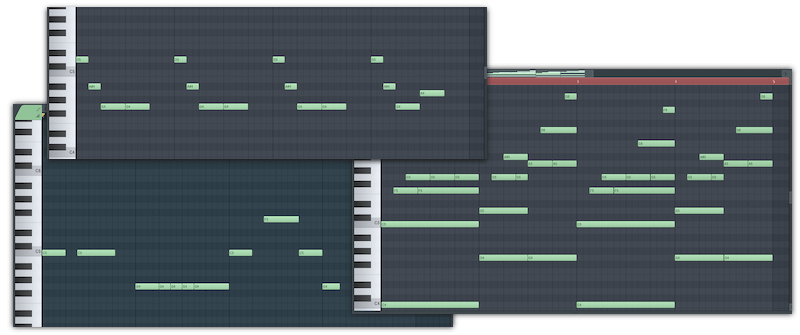
ChordConverter comes with a big list of presets for all occasions.
Here are some examples where all chord progressions and phrases were generated with ChordConverter presets:
The `90s want their chords back
Relaxed summer feelings
Guitars and a little bit of swing.
MIDI echoes go a long way

All generated MIDI files are 100% royalty-free for use in your productions.
Whether you do a commercial release, write songs together with friends, or produce a track for another person: As long as you use the generated MIDIs as part of a musical composition, everything is fine.
If you want to distribute MIDI files that are based on presets by FeelYourSound in your own bundle (e.g., if you want to create a commercial or free MIDI pack from FeelYourSound presets), you will need to buy a ChordConverter Pro license.

No! ChordConverter contains over 400 factory presets. You only need ChordPotion if you want to create your own presets.
The key difference lies in how the two tools operate: ChordPotion works in real time — you send a chord into the plug-in, and it immediately transforms it into fresh arpeggios, basslines, and more. In contrast, ChordConverter quickly generates hundreds of MIDI files, but it requires you to import an existing chord progression first. Additionally, ChordPotion includes an editor that lets you create your own custom chord transformation presets.
No, ChordConverter is an extension package for the free SongEngine plug-in. You need to install SongEngine first, then you can unlock ChordConverter inside SongEngine (click on "Add more" in the left sidebar).
No, you don't have to! In the past, you could buy all the different Engines as separate plug-ins. SongEngine now combines everything in one single interface. The Engine will detect your existing licenses and unlock the content automatically.
Open the "Packages" page of SongEngine. Unfold the "Search" area, then click on the tag "> ChordConverter".
ChordPotion and SongEngine both support all major DAWs, including FL Studio, Ableton Live, Logic Pro, and more. They are compatible with both Windows (7, 8, 10, 11) and macOS (10.13 and up) systems in VST2, VST3, and AU formats. Plus, you can try the free demo of ChordPotion to make sure it fits seamlessly into your workflow. You can download SongEngine for free here.
You can create your own presets by using the ChordPotion MIDI sequencer plug-in. Simply create a preset and save it in the ChordPotion presets folder. Then restart ChordConverter. Your preset is in the list now. All presets in the main ChordPotion preset folder can be found in the "General" package. If you save your preset to a subfolder, ChordConverter will create a package with the same name as that subfolder. This way, you can create your own packages.
| ChordConverter features | Standard | Plus | Pro |
|---|---|---|---|
| Number of MIDI generator presets: | 480 | 480 | 480 |
| Create new keys, melodies, and basslines from your own chord progressions. | ✔️ | ✔️ | ✔️ |
| License to use the generated MIDIs in your songs. | ✔️ | ✔️ | ✔️ |
| License to use the generated MIDIs in songs of friends & clients. | ✔️ | ✔️ | ✔️ |
| Drag and drop generated MIDI files to your DAW. | ✔️ | ✔️ | ✔️ |
| License for MassExporter included. | ❌ | ✔️ | ✔️ |
| License to sell MIDI versions of FeelYourSound presets to other people (e.g. in the form of a MIDI pack). | ❌ | ❌ | ✔️ |
Or get the bundle and save 10%.

FeelYourSound uses PayPro Global for sales. They offer many secure methods of payment including credit cards and PayPal. You will receive a serial via email with which you can unlock the demo once your offer is processed. Please note that there is no physical delivery.